Help Center now accessible in DXE menu
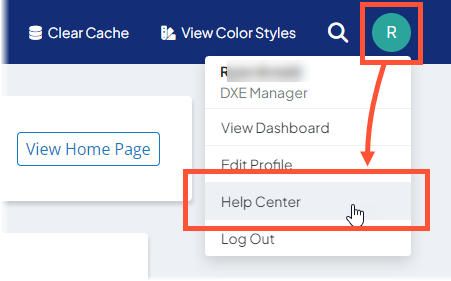
We've added a quick link to the profile menu in DXE to get to the DXE Help Center, where you can find helpful documentation and support options.
Show category badges in post search results
You can now show post category badges in Post search pages. Badges can make your site more efficient and user-friendly by showing the subject matter or classification of posts without having to click and view them, making it easier for viewers to locate the information they are looking for.
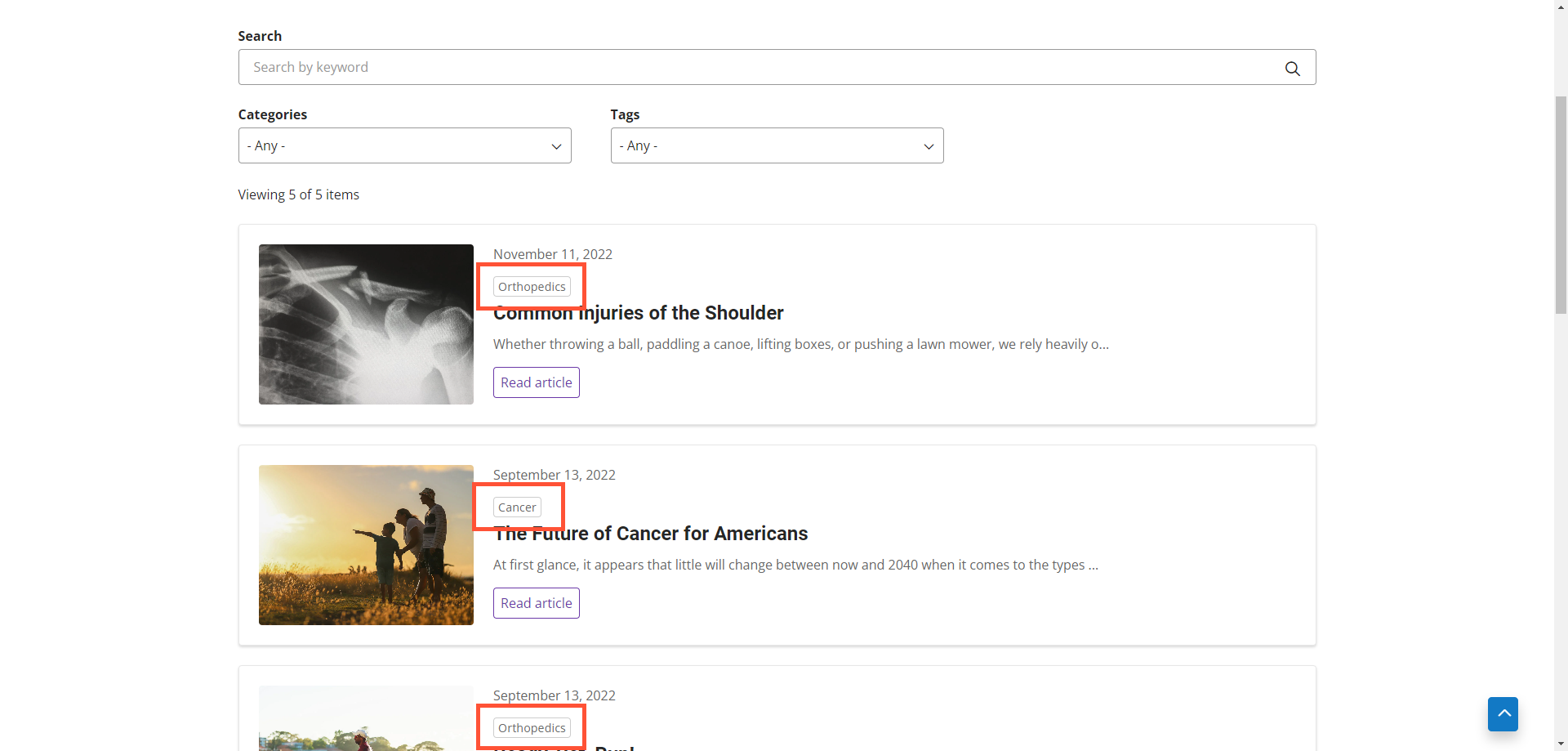
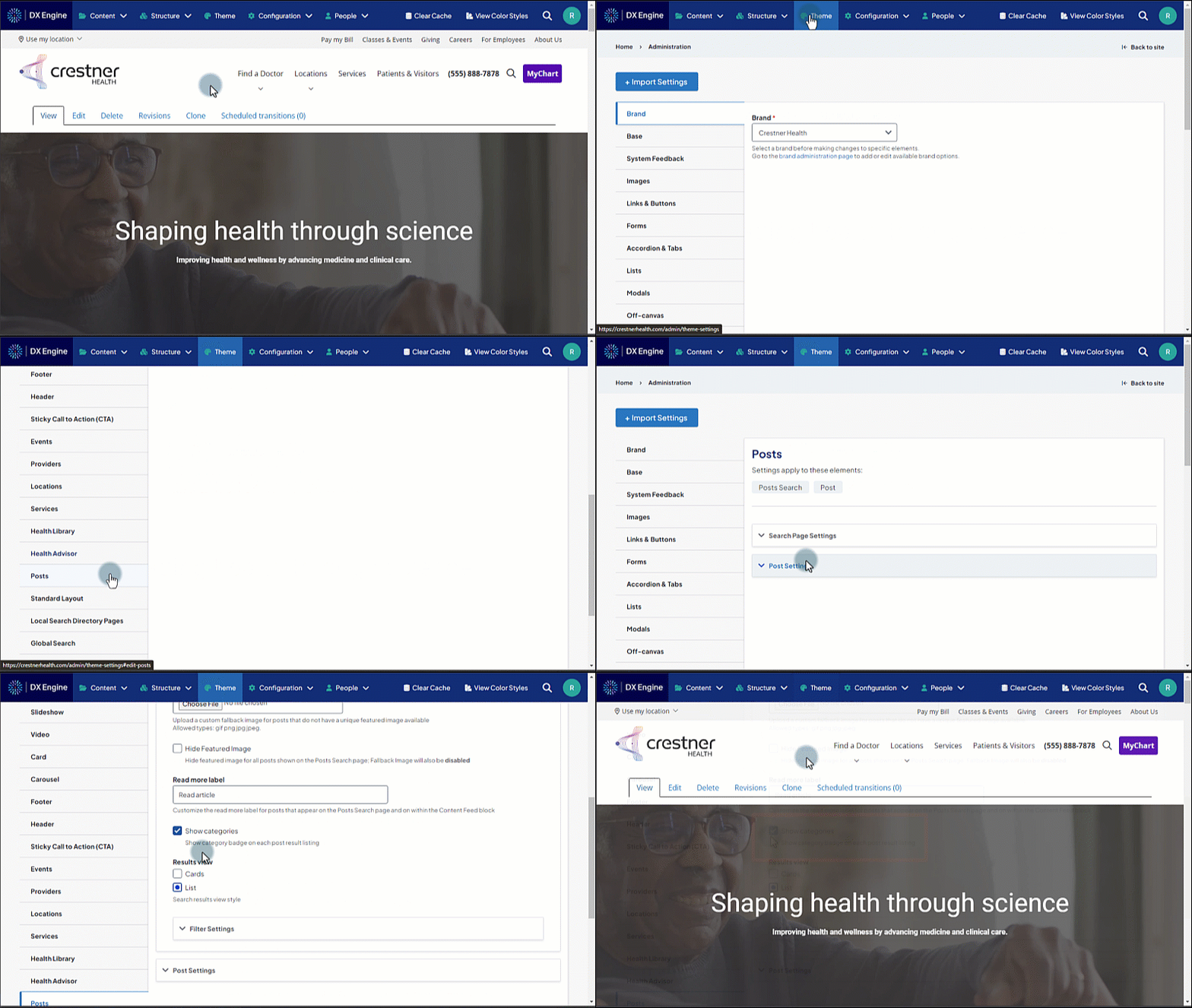
To turn on post badge display:
- In the DXE menu at the top of the screen, click Theme.
- Click the Posts tab on the left.
- Open the Search Page Settings dropdown.
- Mark the Show Categories checkbox.
Related Help Content
 DXE
DXE
Feb 2024 release notes
Expedited search index updatePrevious to this update, any changes made to a page or post title (or other ...
DXE
Release notes: November 10, 2025
Note: The updates described are scheduled to go live for the final stage of clients on Monday, November 1...
DXE
Oct 2023 release notes
Browse A-Z section for Services search pageYou can now set Services search pages to show a convenient br...
DXE
Release notes: December 11, 2025
Meet the new FAQ Group componentSay hello to the specialized container for FAQ content that groups multip...
DXE
How-to: Use Link checker
OverviewWhen set up, Link checker automatically scans your site on a regular schedule for broken links an...
Release notes: October 8, 2026
In this release: AI content generator | FixesAI content generator: draft content right inside the content...