New component: Listing Grid
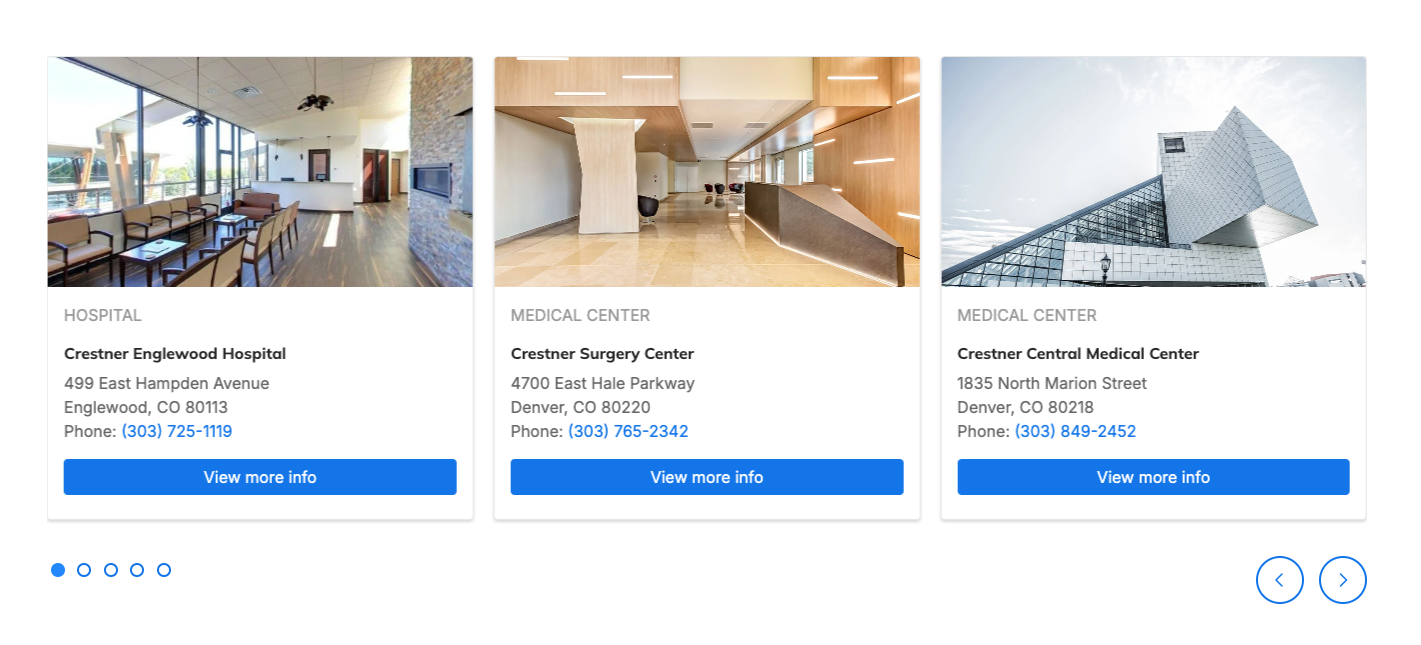
The new Listing Grid component allows for the display of a group of related content in a grid-based layout. A Listing Grid is a visually appealing and professional way to add related content to a page. It’s similar to a DXE Content Feed, but can be placed and managed on individual pages.
For example, you can place a listing grid featuring a group of specific locations on a single service line page:

Related Help Content
 DXE
DXE
Apr 2024 - no updates
No updates for April 2024For this release cycle, there are no changes to your DXE experience. We remain h...
 DXE
DXE
Apr 2023 release notes
Updates to Content FeedsWe've added a few controls to the automatic content feed block type! These additi...
DXE
Dec 2023 release notes
Image caption controls in Theme settingsWe have added some global options for your site image captions th...
DXE
Release notes: March 2025
Provider Search: Sort tiersGet complete control over the sort order in DXE Provider Search and prioritize...
DXE
Mar 2024 release notes
New Embeddable content button in Body editorWe've added a button to the Body text editor to help you add ...
Release notes: June 11, 2026
Bigger, Better, More Accessible: DXE Header Search UpgradeEasier tapping and clicking for everyone when s...