Overview
Under the Centers for Medicare & Medicaid Services (CMS) Hospital Price Transparency requirements, hospitals must make public their standard charges in a comprehensive machine-readable file (MRF). Ensuring this file is hosted properly on your website is critical for compliance and for ensuring healthcare consumers, researchers, and tools can access your pricing data.
File size considerations
Machine-readable files, particularly in CSV or JSON formats, can become exceptionally large depending on the size of your hospital and the number of negotiated rates.
- File Size Limit: DXE has a standard file upload limit of 100MB.
- Compression: To bypass this limitation, you may need to compress your file. Any hospital MRF can be zipped or compressed regardless of size, as indicated in page 27 of the Hospital Price Transparency FAQs.
- Naming Convention: If you choose to zip or compress your MRF, CMS recommends, but does not require, that you use the CMS-specified naming convention and append ".zip" or ".gz" after the file type (either.json or .csv).
- SFTP Uploads: If your file is still larger than 100MB even after being compressed into a .zip file, the file must be uploaded via SFTP. Please contact support or consult with your Account Manager for assistance with SFTP uploads.
How to upload
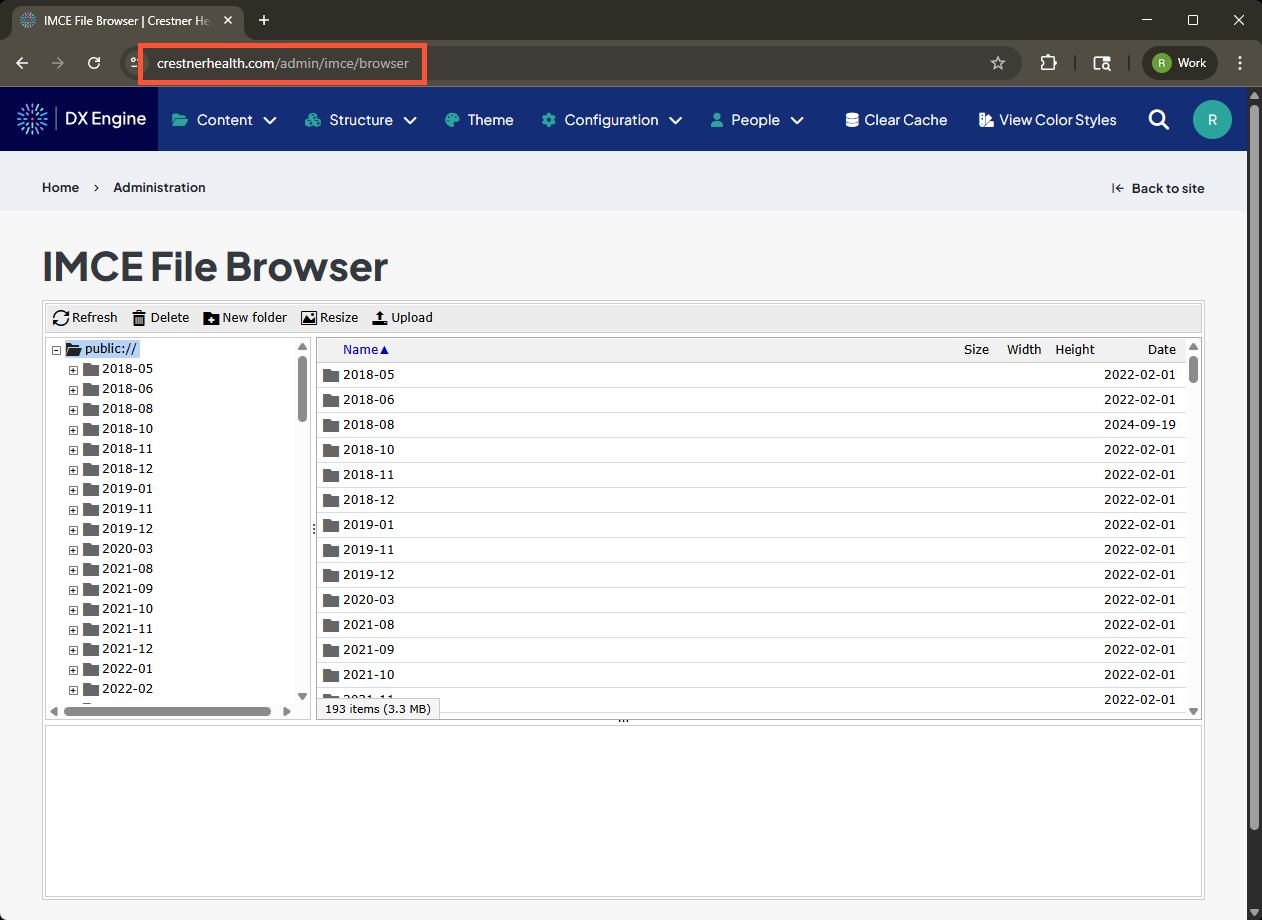
- Access the IMCE File Browser by navigating to https://[yoursitedomain]/admin/imce/browser. (Example: crestnerhealth.com/admin/imce/browser)
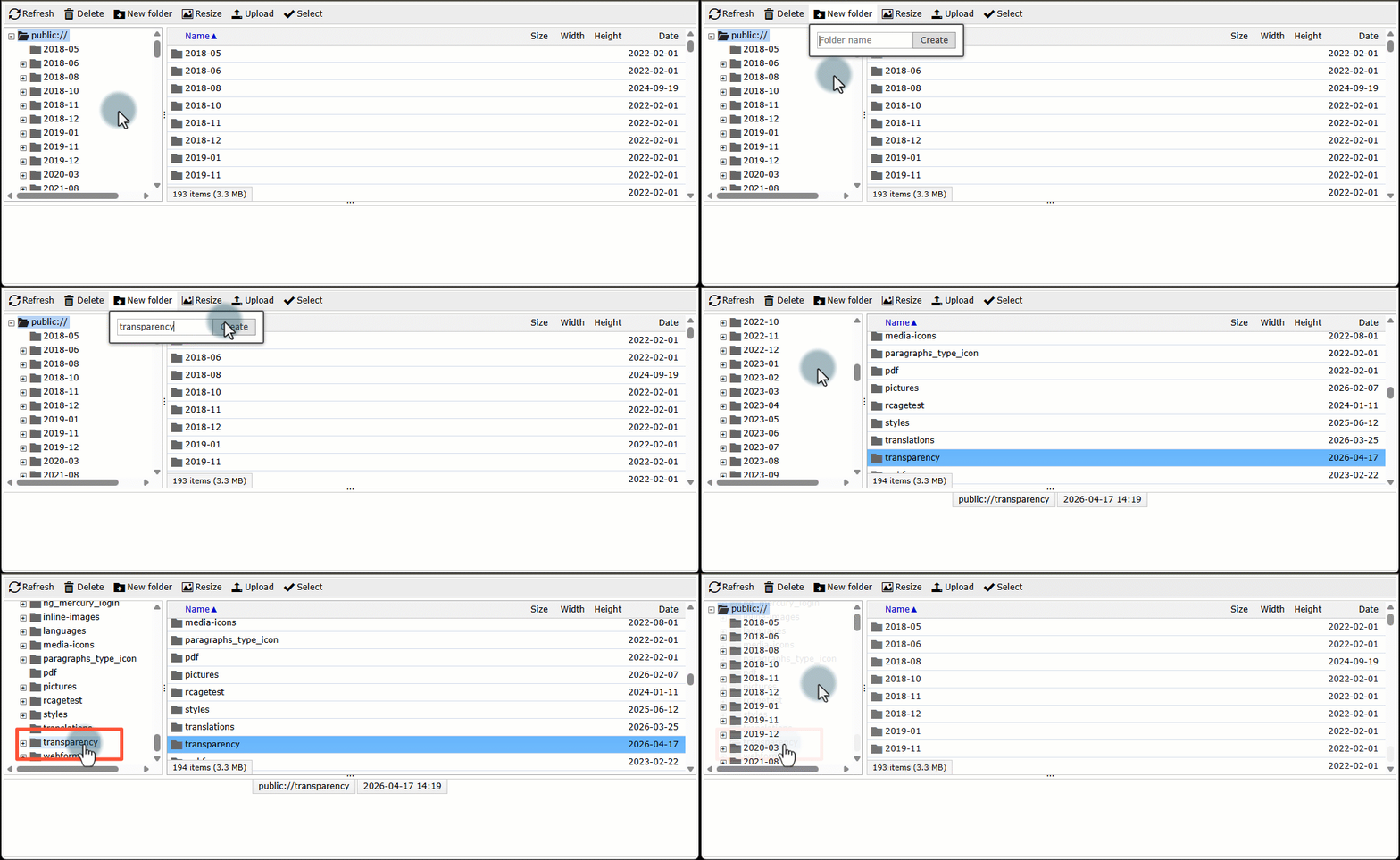
- In the folder tree on the left, select the folder where you want to store the file (e.g., public/documents or public/transparency). You can also create a folder by clicking the New folder option, as demonstrated here.
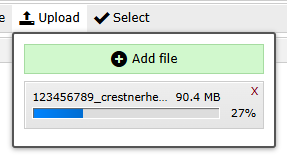
- Click Upload, then Add file.

- Select the price transparency file on your computer. An upload progress bar will appear.
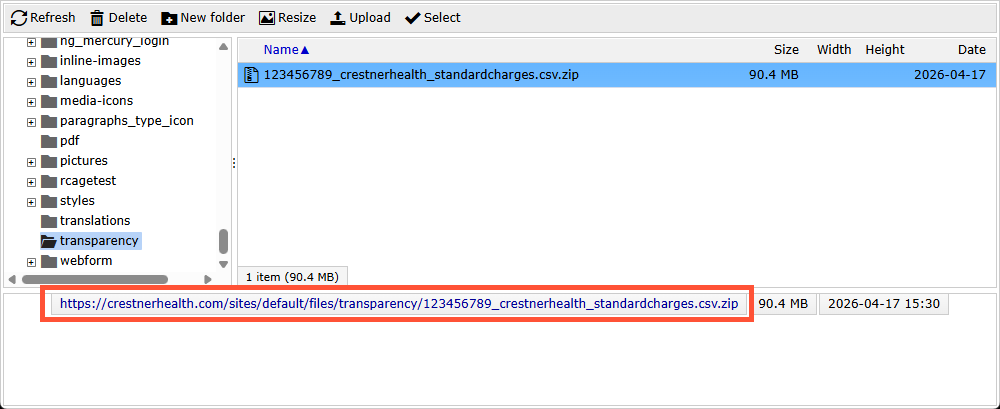
- When complete, the file appears highlighted in the folder. The URL for the file also displays. Use this URL for any download links you share with your visitors and clients.
Related Help Content
 DXE: Adding content
Best way to display content
With DXE, you have three flexible tools for featuring related content: Listing Grids, Content Feeds, and ...
DXE: Adding content
Providers
OverviewA “provider” is a person in your medical organization that practices medicine on patients. DX...
DXE: Organizing content
Configuring a basic menu
Note: Menus can be placed on your site using either a basic menu block or custom menu block. The followi...
DXE: Adding content
Posts
A "post" is one of the content types you can add to your website. In general, it is best used to hold inf...
DXE: Customizing
How-to: Customize DXE Provider Search
OverviewThe built-in Digital Experience Engine (DXE) Provider Search comes with many customization option...
DXE: Adding content
Brand
A “brand” is where you define the following for your site:Complete color paletteBoth for your brand a...