No more empty slots: cleaner hours at a glance
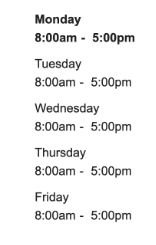
We’ve streamlined the location detail view to ensure you only see the operating hours that actually matter, removing any cluttered "empty" days from your search results.
What it is
This update optimizes the Location Details view by automatically hiding any days that do not contain valid scheduling information.
How it works
The system has been upgraded with a smarter filtering logic. It now scans for specific, valid start-time formats—such as numerical timestamps or locations that are open 24/7. If a day contains a null value, an empty string, or an invalid format, that specific day is filtered out and hidden from the user interface entirely.
Why it matters
- Reduced Friction: Users no longer have to sift through "Open: [Empty]" or "None" placeholders, making the interface cleaner and more professional.
- Data Integrity: By strictly validating for numeric values and "allday" statuses, we ensure that the information displayed is always actionable and accurate.
- Improved Clarity: This minimizes confusion for customers looking for quick answers about when a location is available to serve them.

- Mobile off-canvas scroll locking: A mobile navigation bug was resolved where the background page would continue to scroll once a user reached the end of the off-canvas menu. This "scroll-chaining" issue, primarily affecting iOS and Android devices with the sticky header enabled, has been fixed to ensure the background remains locked while the menu is active.
-
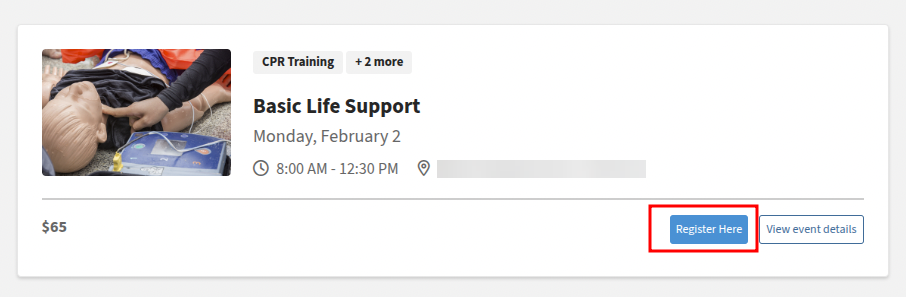
DXE Events: This update resolves an issue where registration Call to Action (CTA) buttons were missing from native DXE event search results.
-
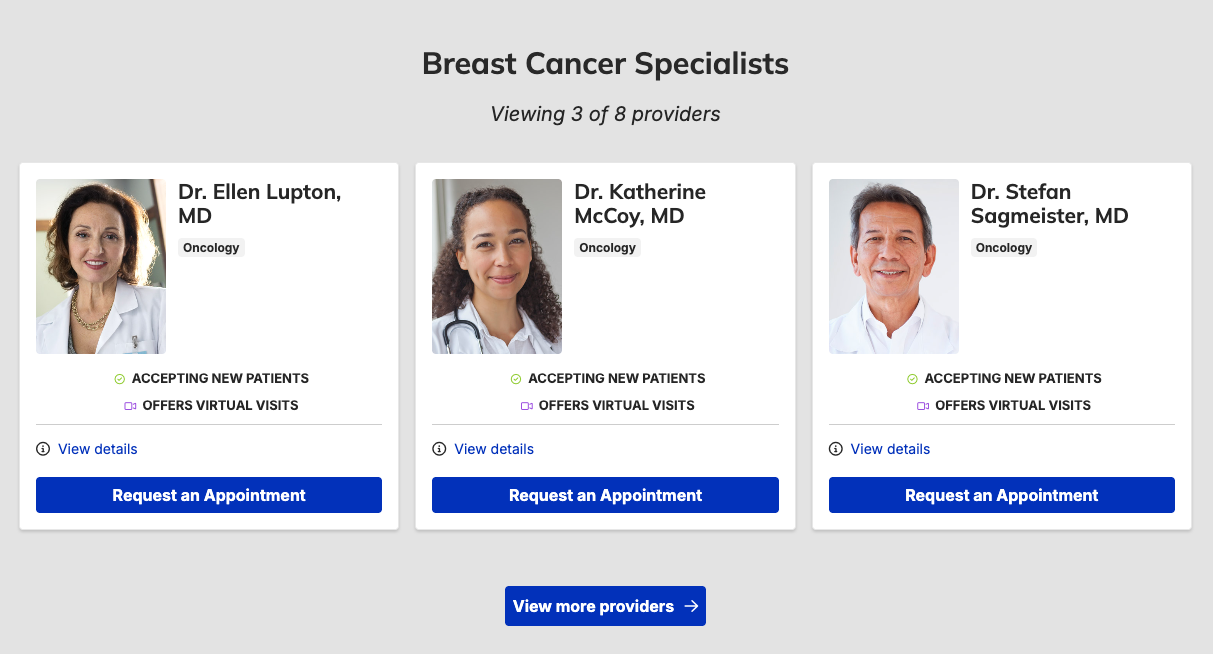
Provider widget: The Provider feed widget was fixed to ensure search filters (such as insurance and specialties) persist correctly when clicking "View more providers" and restores the missing pagination UI and results counter. These changes resolve issues with URL parameter stripping and internal logic conflicts that previously prevented accurate result tracking.
- Sub-menu navigation: This update addresses navigation failures caused by ID collisions between header and mobile menus, which previously triggered sub-menus to collapse prematurely instead of redirecting users. By ensuring unique identification for active panels, the system now maintains focus during interactions, restoring full functionality to sub-links across affected sites.
- Event registration form: We’ve resolved a loading error where the event registration form would remain hidden due to script conflicts with third-party tracking tools like Gsight. By addressing a race condition in the initialization process, the form now renders reliably on the initial page load regardless of network speed or browser caching.
Related Help Content
 DXE
DXE
Release notes: February 26, 2026
Provider image alt text: Previously, the default provider image may have been missing alt text. This crea...
DXE
Aug 2023 release notes
Updates to Drupal 10Drupal (the platform that DX Engine is built on) has made some improvements to their ...
DXE
How-to: Use Link checker
OverviewWhen set up, Link checker automatically scans your site on a regular schedule for broken links an...
DXE
Release notes: March 26, 2026
Note: The full release was completed on April 7th following a brief partner-related delay that affected t...
Release notes: July 9, 2026
In this release: Accessibility code for location search | Events "Add to calendar" update | Differentiati...
DXE
Sept 2024 release notes
New component: Listing GridThe new Listing Grid component allows for the display of a group of related co...