Overview
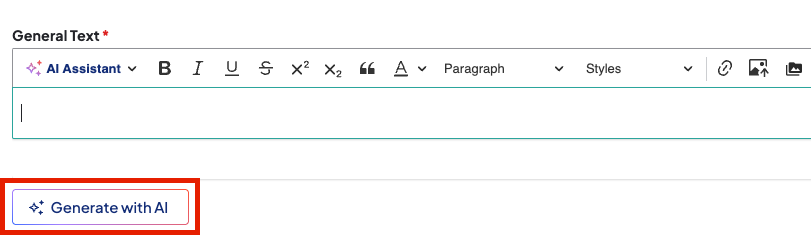
The AI Content Generator is an inline tool in rich-text editors used to draft and refine content with natural language prompts. It references your site's existing content to ensure accuracy, brand consistency, and accessibility. The tool is currently available on the "Body" field for Post, Services, and Standard Layouts, and the "General Text" field in the Text component.
How to generate content
- Click Generate with AI below a supported text field. A Generate with AI window will appear.
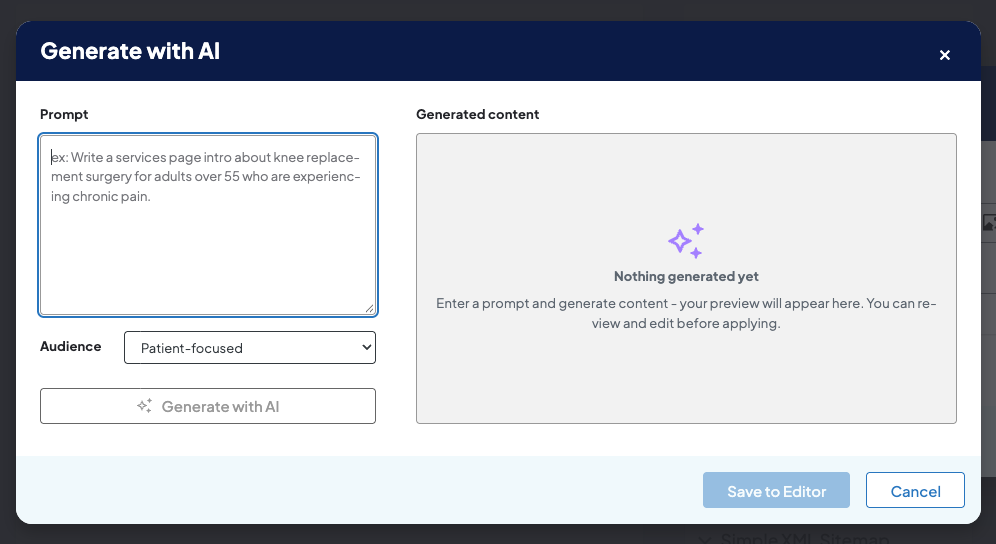
- Select your Audience.
- Click Generate with AI. The AI tool will generate content based on your settings under Generated content.
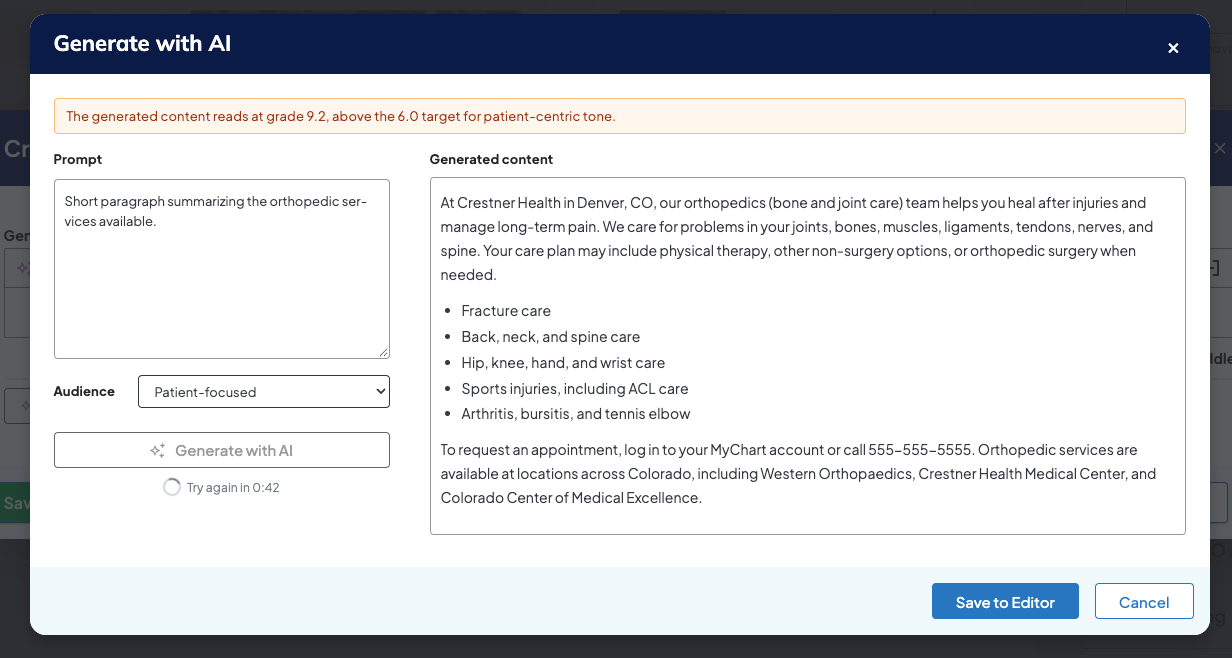
- Click Save to Editor.
- Click Save on the page.
Related Help Content
 DXE: Adding content
Listing Grid
SummaryThe Listing Grid component allows for the display of a group of related content in a grid-based la...
DXE: Builder basics
Assigning color values
Colors are added to your DX Engine site in a few steps. For those brand new to web design, that may sound...
DXE: Adding content
AI Assistant (Body editor)
OverviewThe In-Editor AI Assistant brings powerful AI-driven functions to expedite writing, editing, and ...
DXE: Adding content
How-to: Bulk edit content
When you need to make extensive updates—such as refreshing provider bios or location details—the bulk...
DXE: Adding content
Reference: Events
OverviewAn Event in Digital Experience Engine (DXE) is a scheduled date and time when a specific health-c...
DXE: Organizing content
Editing an existing menu
Editing an existing menuIn Digital Experience Engine, you may want to edit an existing menu structure. Yo...