The universal access update: seamless navigation for every user
We’re continually working to improve core components to ensure a faster, more intuitive, and fully accessible experience for users of all abilities.
What it is
This comprehensive update focuses on WCAG 2.1 compliance and structural integrity across our most-used interface elements. We have re-engineered the global header, search modals, carousels, and content cards to eliminate technical barriers for users navigating via screen readers, keyboards, and other assistive technologies.
How it works
We implemented industry-standard ARIA patterns and semantic HTML to bridge the gap between visual design and technical accessibility:
- Intelligent navigation: The header and off-canvas menus now use "Disclosure" patterns and role="dialog", ensuring screen readers announce whether menus are open or closed.
-
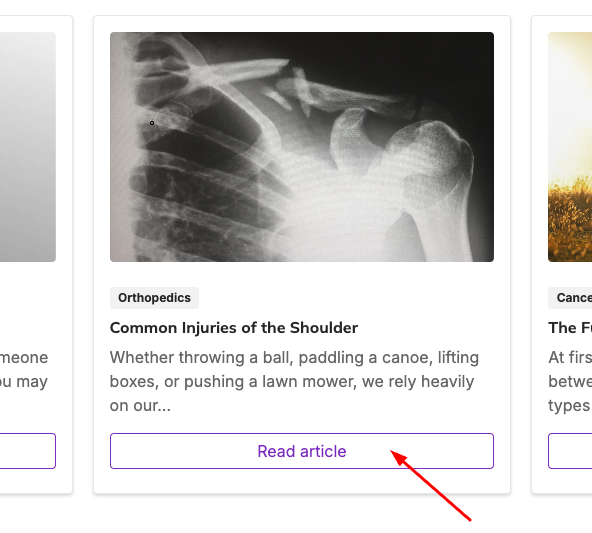
Card component update: This streamlines navigation for screen reader users by converting redundant internal links into non-interactive elements and hiding decorative labels, ensuring the card's destination is announced only once without changing its visual appearance.
-
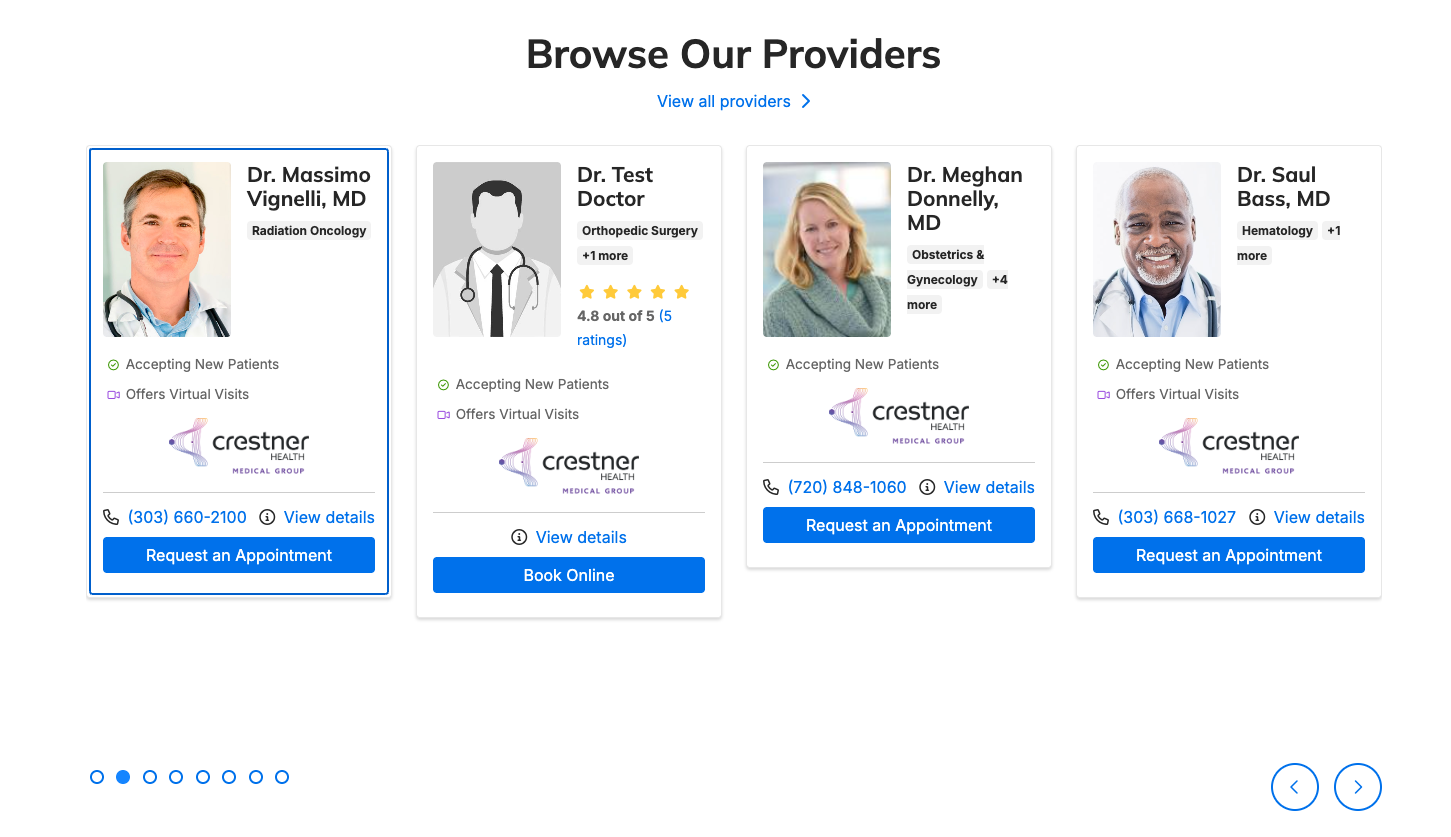
Ghost-free Carousels: Carousel "clones" used for infinite scrolling are now programmatically hidden from screen readers and keyboard tab orders, preventing navigation into "invisible" content.
-
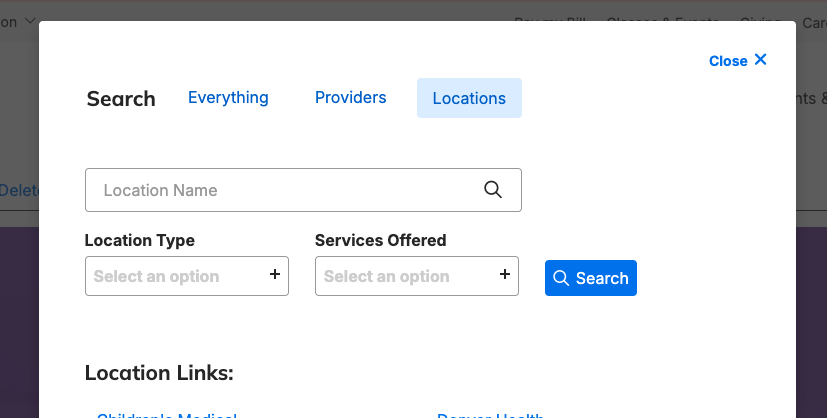
Focus management: Opening the Global Search modal now automatically moves keyboard focus into the search field, while the "Escape" key instantly closes active menus.
- Semantic clean-up: We replaced redundant "Read More" links with descriptive, unique labels (e.g., "Location details: [Name]") and corrected the underlying code for description lists to ensure screen readers announce item counts accurately.
- Descriptive Action Labels: Enhanced "nameless" buttons and links with hidden context—such as changing a generic "View Details" to "Location details: [Location Name]"—to provide clarity for screen reader users.
- Logo & Brand Accessibility: Updated the header logo to dynamically announce the specific site name and its function as a homepage link rather than just saying "link."
Why it matters
Accessibility isn't just a checkbox; it’s about providing a predictable and convenient experience for every visitor. By removing "audio clutter" from screen readers and fixing "ghost" focus stops for keyboard users, we’ve made the platform significantly faster to navigate. These updates reduce frustration for users with disabilities while simultaneously improving the underlying code quality and SEO performance for everyone.
Sleeker location widget card styling
We’ve updated widget card aesthetics to ensure a consistent experience across your site.
What it is
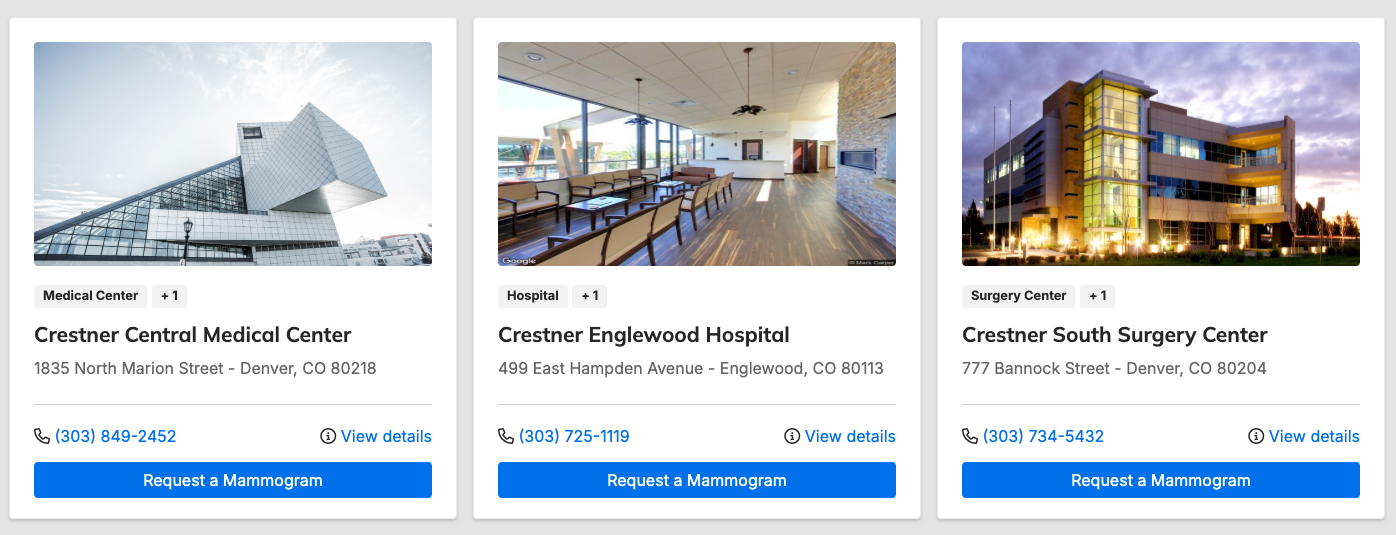
A visual and functional refresh for cards within the Location Feed widget, bringing them into total alignment with the Location Search results.
How it works
We’ve refined the UI components to create a more cohesive user experience:
- Dynamic Typography: Replaced fixed pixel sizes with theme-aware font variables, ensuring addresses scale perfectly across different brand templates.
- Full-Width CTAs: Buttons now span the entire width of the card, providing a larger touch target for mobile users.
- Visual Weight Balance: Removed bold styling from buttons to match the sleek, modern design system of the card.
- Enhanced Parity: The "View Details" link is now fully integrated into widget cards, mirroring the location search functionality.
Before:
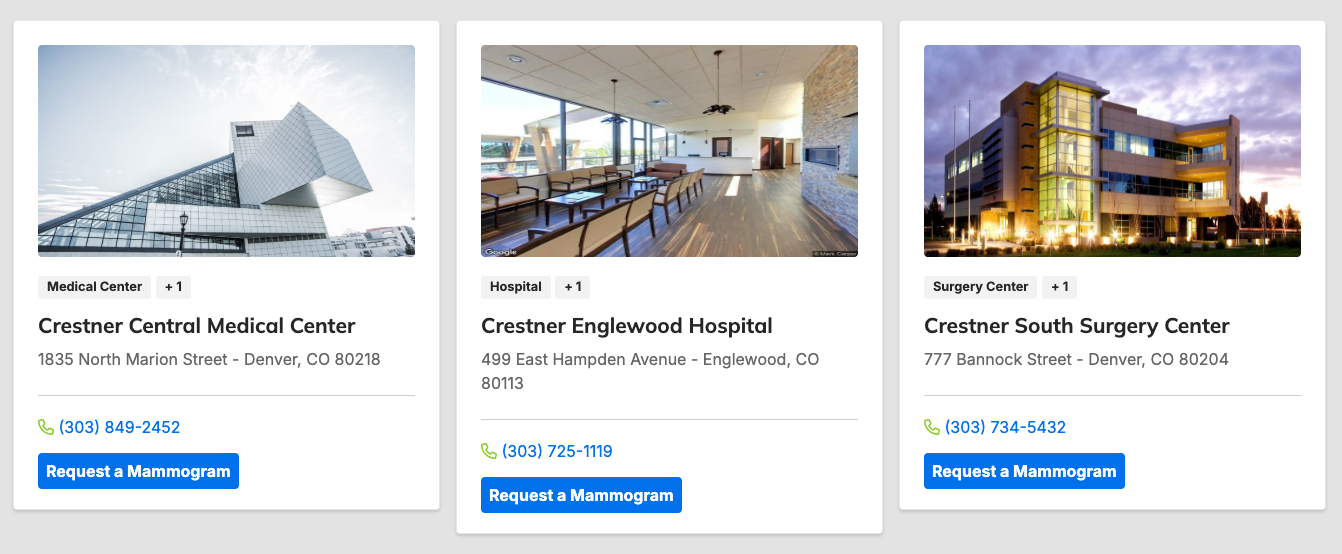
After:
Why it matters
Consistency is key to user trust. By aligning widget styles with your main search results, you provide a seamless transition for users browsing your locations, while full-width buttons significantly improve accessibility and click-through rates on mobile devices.
Automated content filtering for widgets
An intelligent update to the filtering logic for Provider and Location widgets that automatically respects publication status.
How it works
The system now cross-references the "Unpublished" status of any entity before rendering it in a widget. Even if a specific doctor or clinic was manually selected to appear in a featured list, the widget will now automatically hide them the moment they are set to "Unpublished" in DXE.
Why it matters
This eliminates the risk of "ghost" listings—links leading to 404 errors or outdated profiles. It saves your team time by removing the need to manually scrub widgets whenever a location closes or a provider leaves, ensuring your live site is always accurate and up-to-date.
Related Help Content
 DXE
DXE
Dec 2023 release notes
Image caption controls in Theme settingsWe have added some global options for your site image captions th...
DXE
Release notes: May 14, 2026
No more empty slots: cleaner hours at a glanceWe’ve streamlined the location detail view to ensure you ...
DXE
Release notes: January 29, 2026
Set it and forget it: Automated scheduling for content blocksSay goodbye to manual updates and midnight l...
 DXE
DXE
Jan 2023 release notes
Updates to "Find a location"We have revamped how Locations are presented in DXE for a more streamlined an...
DXE
Release notes: April 16, 2026
Listing Grids in Posts: Fixed an issue where custom text entered in the Read more label field for Listing...
DXE
Release notes: September 25, 2025
Automatically block inactive usersNow, you can ensure only users who log in regularly are able to access ...