Skip the modal, head straight to the source
We’ve added a new toggle that lets you send users directly to a location’s detail page, bypassing the preview modal entirely.
What it is
We’ve introduced a new configuration setting within the Theme Settings menu that controls how the "details" link behaves on your Location Search cards. This gives you the flexibility to choose between a quick-look preview or a direct page handoff.
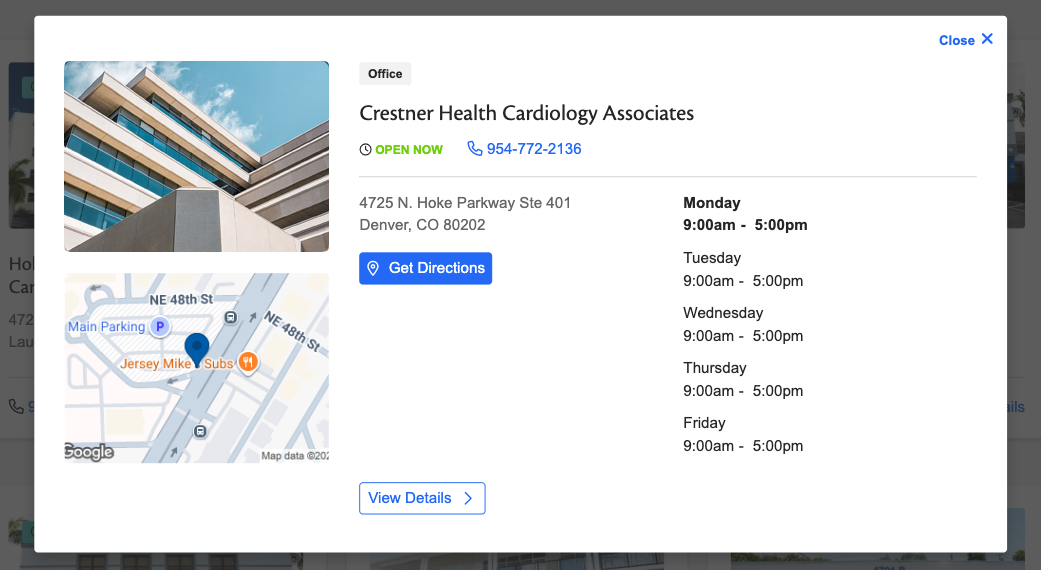
Location modal example
How it works
Within your search configuration, you’ll find a new checkbox for Modal Preview:
- Checked (Default): Clicking "details" opens the familiar pop-up modal with location snippets.
- Unchecked: Clicking "details" acts as a direct link, instantly navigating the user to the specific location’s full detail page.
To apply this change, simply uncheck the box and hit Save configuration at the bottom of the Theme Settings screen.

Why it matters
Every click counts. We are focused on reducing patient friction and driving immediate access to care, and this update removes a critical barrier. It’s about streamlining the patient journey and giving you the precision needed to guide patients toward the right care, right when they need it.
Give your users a new view—without losing their place
You can now choose whether your Service page call-to-action buttons open internal links in a new tab or the current one.
What it is
We’ve added a specific configuration to the Marquee Call to Action (CTA) field on all Services pages. This update allows you to control the browser behavior for your primary page buttons.
How it works
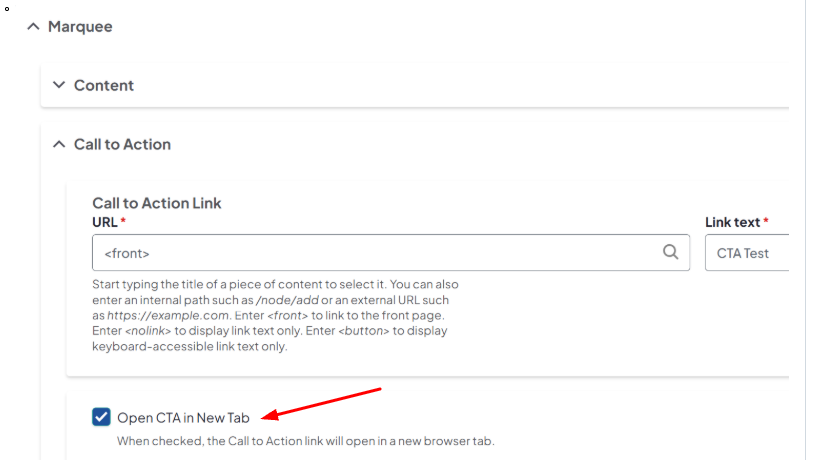
Within settings for your Services pages, you will see a new checkbox labeled “Open CTA in New Tab”:
- When checked: Clicking the CTA button will automatically launch the internal destination URL in a new browser tab.
-
When unchecked: The link will load in the same window, replacing the current page.
Why it matters
Context is everything. Opening internal links in a new tab is a game-changer when you want to send users to a booking tool or a third-party resource without them losing their spot on your service list. It keeps your brand front-and-center while allowing users to explore additional content simultaneously, reducing the need for the "Back" button.
Related Help Content
 DXE
DXE
Release notes: April 30, 2026
The universal access update: seamless navigation for every userWe’re continually working to improve cor...
DXE
Ignite U newsletter
Our newsletter is designed to spark ideas, help you unlock the full value of DXE, and engage and convert ...
DXE
Apr 2024 - no updates
No updates for April 2024For this release cycle, there are no changes to your DXE experience. We remain h...
DXE
Release notes: February 12, 2026
Sharper visuals, simpler workflow: the new content editing experienceWe’ve overhauled how images are ha...
DXE
Release notes: November 2024
Use the Provider search experience you want!What it isThe Provider tab of the global site search can now ...
DXE
Feb 2024 release notes
Expedited search index updatePrevious to this update, any changes made to a page or post title (or other ...