In this release: Bio generator | Feed navigation | Accessibility updates | Fixes

Smarter bio generation: streamlined approvals and direct provider links
The bulk Bio Generator now features refined modal messaging, dynamic selection headlines, and direct provider profile links to simplify draft review and publishing workflows.
What it is
An enhanced confirmation and status reporting interface within the AI bulk Bio Generator tool designed to improve transparency during provider bio reviews.
How it works
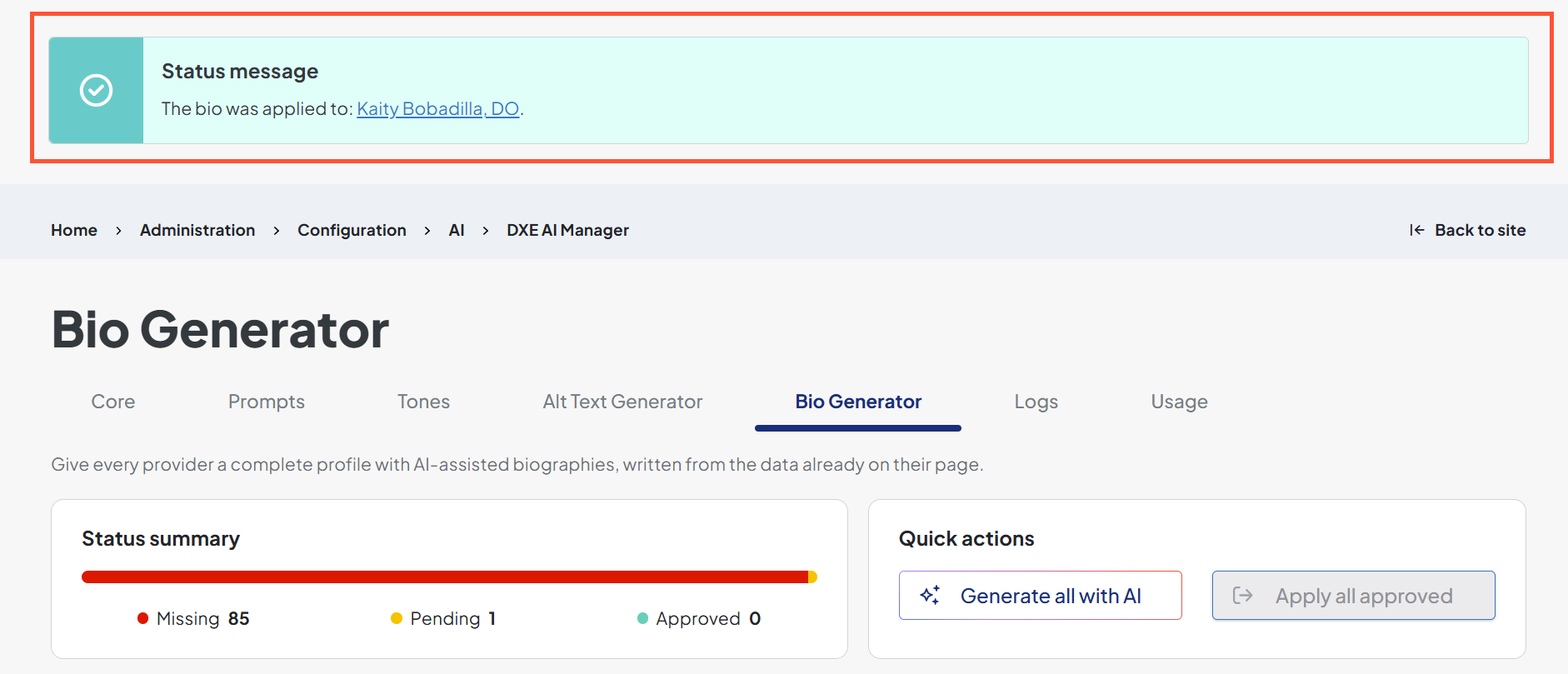
Confirmation modals during the "Mark as Approved" and "Apply to Site" workflows now explicitly reference provider bios rather than alt text when processing mixed batches of eligible and ineligible providers. Modal headers dynamically adapt based on selection counts (e.g., displaying "1 of 1 selected provider" instead of plural phrasing), and post-application notifications display direct links to updated provider profiles in the draft's target language (formatted cleanly for zero, single, or multiple records, and capped at 10 links with an overflow count to prevent clutter).
Why it matters
You gain immediate clarity during mass bio updates, eliminating confusion from inaccurate modal text and providing one-click verification of updated profiles.
Intelligent feed navigation: dynamic filtering & unified post search
Post content feeds now automatically route multi-type feeds to a dedicated search page with preserved query parameters while maintaining direct section routing for single-type feeds.
What it is
An upgraded routing and taxonomy integration for "View More" links across post content feeds, supported by an automated /posts-search landing page.

How it works
Multi-post-type or site-wide feeds dynamically direct visitors clicking "View More" to a dedicated search landing page (/posts-search) with all active feed filters appended as query parameters. Feeds scoped strictly to a single post type or section continue routing directly to their specific section page using corrected filter parameters (categories, tags, authors). The /posts-search page is deployed automatically across environments without overwriting existing custom search pages. If the search page’s URL or publishing status changes, the “View more” link will update automatically without requiring a rebuild of the site cache. Additionally, taxonomy handling is centralized under a unified post_tags endpoint covering conditions, procedures, specialties, and tags to eliminate missing filter options and console errors.
Why it matters
Site visitors can explore deep content libraries without losing active filter contexts, while you benefit from error-free taxonomy requests and automated page setup.
Screen reader accessibility for Provider Search filters
Provider Search filter controls and keyword inputs now feature complete programmatic ARIA associations and direct label bindings for WCAG compliance.
What it is
Core accessibility enhancements resolving WCAG 1.3.1, 4.1.2, and 2.5.3 criteria across provider search form controls.
How it works
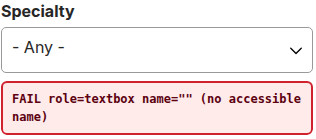
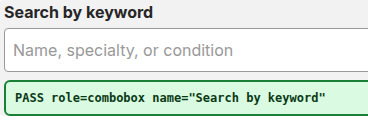
Resolves orphaned <label> tags by updating the multi-nested checkbox wrapper component to pass an inputId prop, attaching unique IDs, role="combobox", and aria-expanded attributes directly to input controls.
Before:
After:
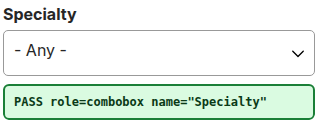
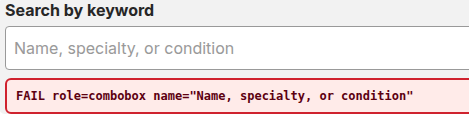
The visible keyword search label is bound directly to the autosuggest input via custom-label, ensuring screen readers announce "Search by keyword" instead of relying on placeholder text.
Before:
After:
Why it matters
Patients relying on screen readers or voice-navigation tools hear clear, exact labels—such as "Search by keyword"—and can tell whether a menu is expanded or collapsed, allowing them to search for doctors independently and without confusion.
Live search feedback: dynamic screen reader announcements for post search
The Post Search landing page now announces updated result counts and filter details in real time as visitors adjust their search criteria.
What it is
A WCAG 4.1.3-compliant status messaging system that provides non-visual confirmation during search and filter operations.
How it works
Implements a hidden status region that announces updated search counts to screen readers whenever filters are selected, cleared, or searched. Announcements are triggered after query completion, and zero-result announcements explicitly state both active filters and search terms.

Why it matters
Assistive technology users stay informed about query results without losing their place on the page or guessing whether a filter action succeeded.
Seamless overlay navigation: dialog semantics & focus management for sticky CTAs
The Sticky CTA expandable panel now features automated keyboard focus handling and accessible dialog semantics to satisfy WCAG standards.
What it is
An accessibility update resolving WCAG 2.4.3 focus order issues on expandable Sticky CTA components.
How it works
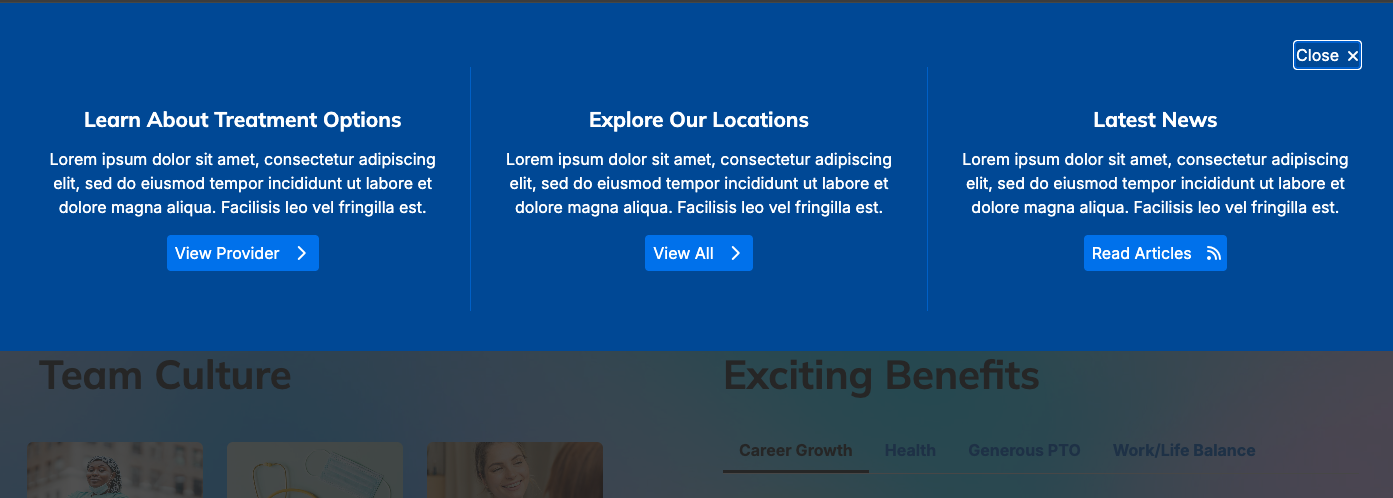
When the expandable panel opens, keyboard and screen reader focus is automatically shifted into the overlay upon transition completion rather than remaining on the document body. The panel is structured as an accessible role="dialog" container with dynamic aria-hidden attributes, while trigger buttons synchronize aria-expanded and aria-controls states across all close pathways, including the Escape key.
Why it matters
Keyboard-only and vision-impaired users can seamlessly interact with high-priority call-to-action overlays and easily dismiss them without losing focus.
Clarity in action: programmatic accessible names for search bar widgets
Interactive toggle and action buttons across the Search Bar widget now deliver clear, programmatically determinable accessible names.
What it is
An accessibility update resolving WCAG 1.3.1 and 4.1.2 criteria on Provider Search Bar toggle and submit buttons.
How it works
Adds a visually hidden label inside the toggle/action button that dynamically announces "Search" when empty or closed, and "Clear Search Input" when active text is entered or the panel is open. Embedded SVG icons are marked to prevent redundant or noisy announcements.

Why it matters
Screen reader users can confidently navigate and trigger search actions without encountering unlabeled or ambiguous buttons.

-
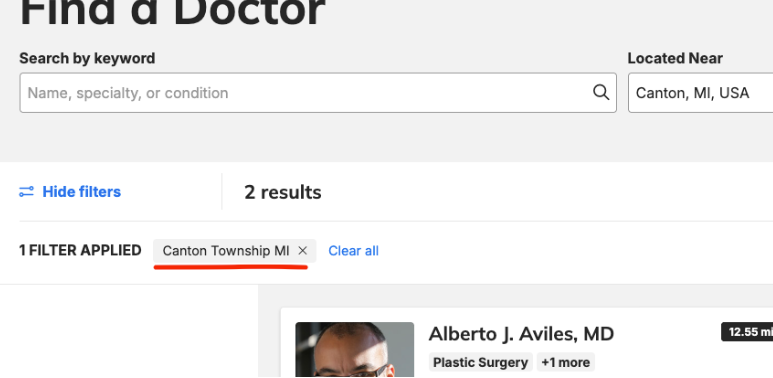
Location search filter fix for townships & boroughs: Resolved an issue where searching for locations within civil townships (such as Canton, Waterford, Commerce, or Hamburg, Michigan) or New York City boroughs caused city names to drop off and default solely to state abbreviations (e.g., "MI"). Address search logic now automatically checks broader township and borough district levels when standard city names are not returned, standardizing accurate location results across all site autocomplete and geolocation tools.
-
Distance filter table row removal in Provider Finder search settings: Fixed a theme settings problem where clicking the "Remove" button on a specific distance filter row accidentally deleted the last row of the table rather than the selected option. Row management now accurately removes the targeted distance entry and cleanly resets default selections to the first available option without retaining outdated settings.

-
Provider map loading spinner hang-on geocodeless locations: Corrected an issue on the provider directory page (/providers) where switching to the "View on map" display while viewing providers without geographic coordinates caused the interactive map to freeze on an endless loading spinner. Map display handling now safely releases the loading state and renders smoothly even when a search returns results with no map markers.
- Event settings "Cart Function" toggle fix (Content Apps): Fixed the "Cart Function" switch in Event Settings to completely disable multi-event checkout workflows when turned off. Turning off this setting now removes "Add to cart" buttons, blocks navigation to the multi-event cart page to enforce single-event registration, and automatically clears old cart data saved in visitors' web browsers to prevent system and console errors.
Related Help Content

Release notes: July 9, 2026
In this release: Accessibility code for location search | Events "Add to calendar" update | Differentiati...
DXE
Release notes: September 25, 2025
Automatically block inactive usersNow, you can ensure only users who log in regularly are able to access ...
DXE
Nov 2023 release notes
Ratings on Provider search resultsPreviously users had to click a doctor to be able to see their ratings ...
Release notes: June 11, 2026
Bigger, Better, More Accessible: DXE Header Search UpgradeEasier tapping and clicking for everyone when s...
Release notes: August 10, 2026
In this release: New AI Alt Text Generator | Screen reader carousel enhancement | Screen reader location ...
Release notes: October 8, 2026
In this release: AI content generator | FixesAI content generator: draft content right inside the content...