Overview
When using AI to generate text, the tool will reference a tone setting to understand which tone to use when writing the content (e.g., Conversational, Empathetic, Formal, etc.) You can define these tones and select them while generating content. Using a defined tone ensures that the content generated by AI consistenly achieves the type of writing you want to present.
Tones are similar to, but distinct from guidelines. Tones help direct the voice and inflection of writing (e.g., formal vs. familiar, or a reading comprehension level), and can be selected during content generation. Guidelines are more thorough specific rule sets for terminology, punctuation and formatting, and apply automatically based on the writing scenario. Tones and guidelines should have no mutually exclusive rules in them. If any exist, the AI will attempt to follow the applicable rules as closely as possible.
Managing tones
- In the DXE Toolbar, click Configuration > AI > AI Tones. The Tones management page appears and lists all the currently defined tones.
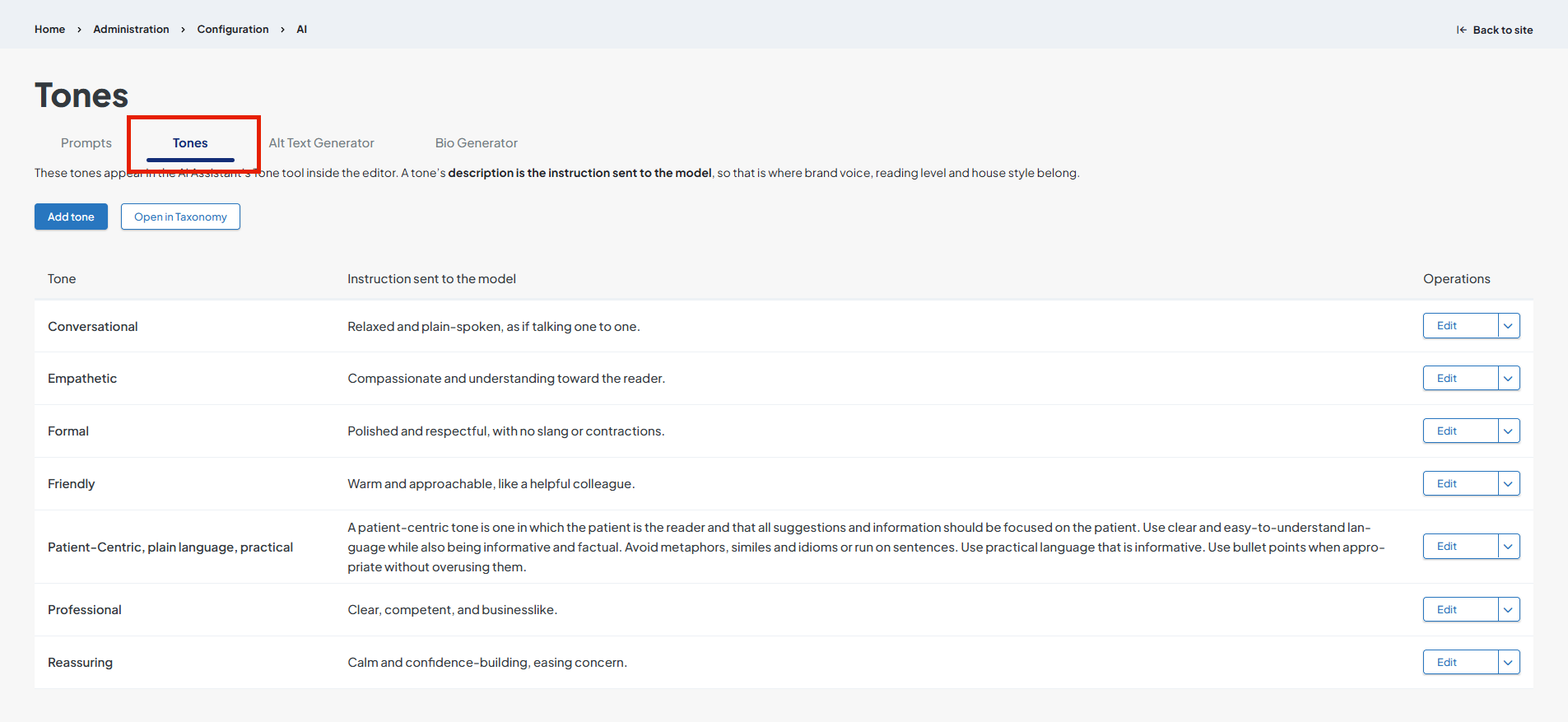
Adding a tone
- Click Add tone. The Add Term in AI Content Tones page appears.
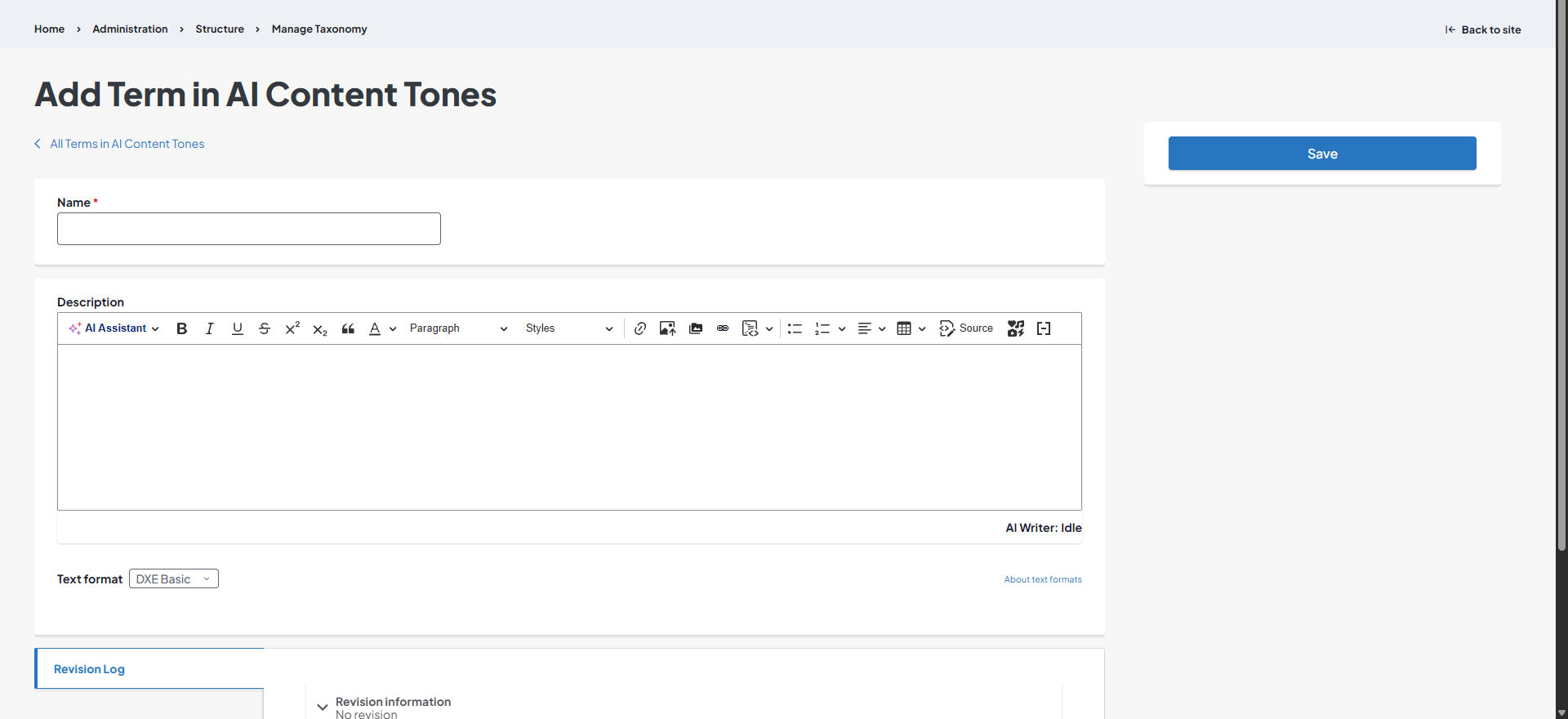
- Enter a Name.
- Enter a Description. This is where you describe the tone to the AI. Refer to existing tone descriptions for examples.
- Click Save. The new tone will display in the list.
Editing existing tones
- Click Edit next to the tone to modify.
- Change the Name and/or Description as needed.
- Click Save.
Deleting a tone
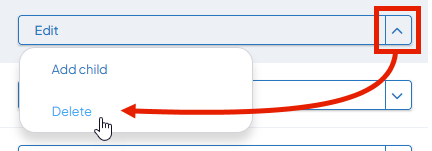
Click the dropdown arrow next to the Edit button, then click Delete.
Add child tone
A child tone is a more specific tone direction you can give the AI that you want to associate with a current tone. For instance, you may want to add a "6th grade reading level" child tone under the "Reassuring" tone. When selecing "6th grade reading level", the AI will use the tone instructions for both "6th grade reading level" and "Reassuring."
- Click the dropdown arrow next to the Edit button, then click Add child.
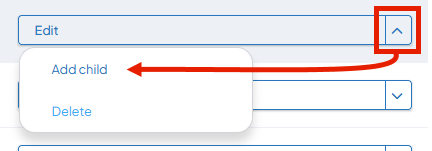
- Follow the instructions under Adding a tone (starting at step 2).
Open in Taxonomy
This opens an alternate tone management method, where you can manage and edit tones in the Taxonomy editing interface.
Related Help Content
 DXE: Adding content
Enhanced Layout
An enhanced layout page is a more freeform way to add a page to your site. Most of the template fields ha...
DXE: Organizing content
Adding/arranging menu items
Adding links to a menuClick the Structure dropdown arrow, then Menus in the DXE menu bar. Click the + Ad...
DXE: Builder basics
Setting Default & Conditional Brands
Default BrandYou can set up and save many Brands in your site by clicking Structure > Brands in the Toolb...
DXE: Adding content
Locations
OverviewA “Location” is a special content type in DXE. Location records are used to contain informati...
DXE: Adding content
Bio Generator
OverviewThe Bio Generator dashboard is designed to help users manage AI-generated bios for provider nodes...
DXE: Customizing
How-to: Customize DXE Provider Search
OverviewThe built-in Digital Experience Engine (DXE) Provider Search comes with many customization option...