New Caption field for Video Component
There's a new caption field for Video Components in Standard layout or Enhanced layout pages! A Video Caption helps your users understand the concept of a video before playing and increases the accessibility of your site.
The new field appears at the bottom of the Video Content dropdown in the Create new Video modal.
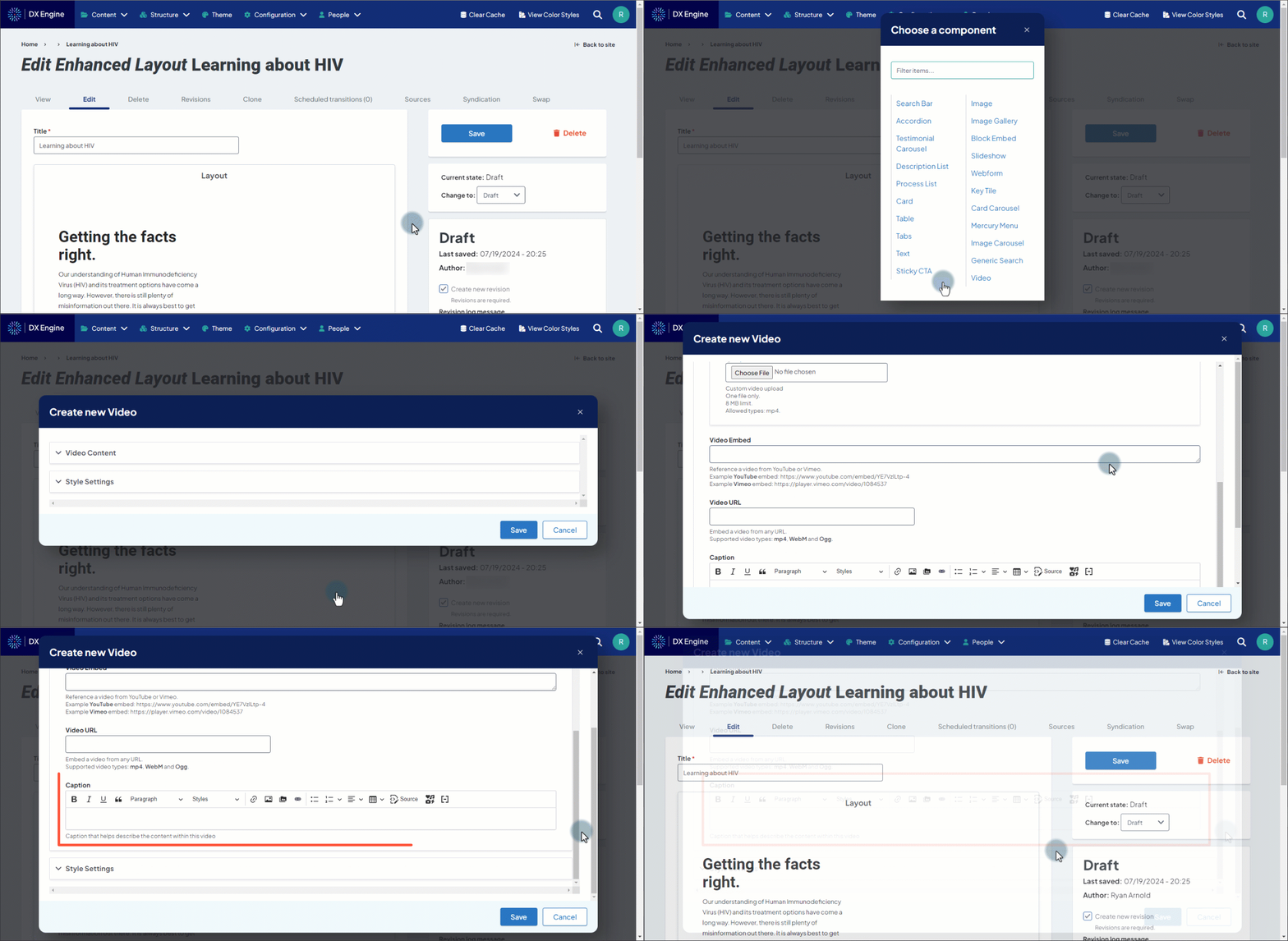
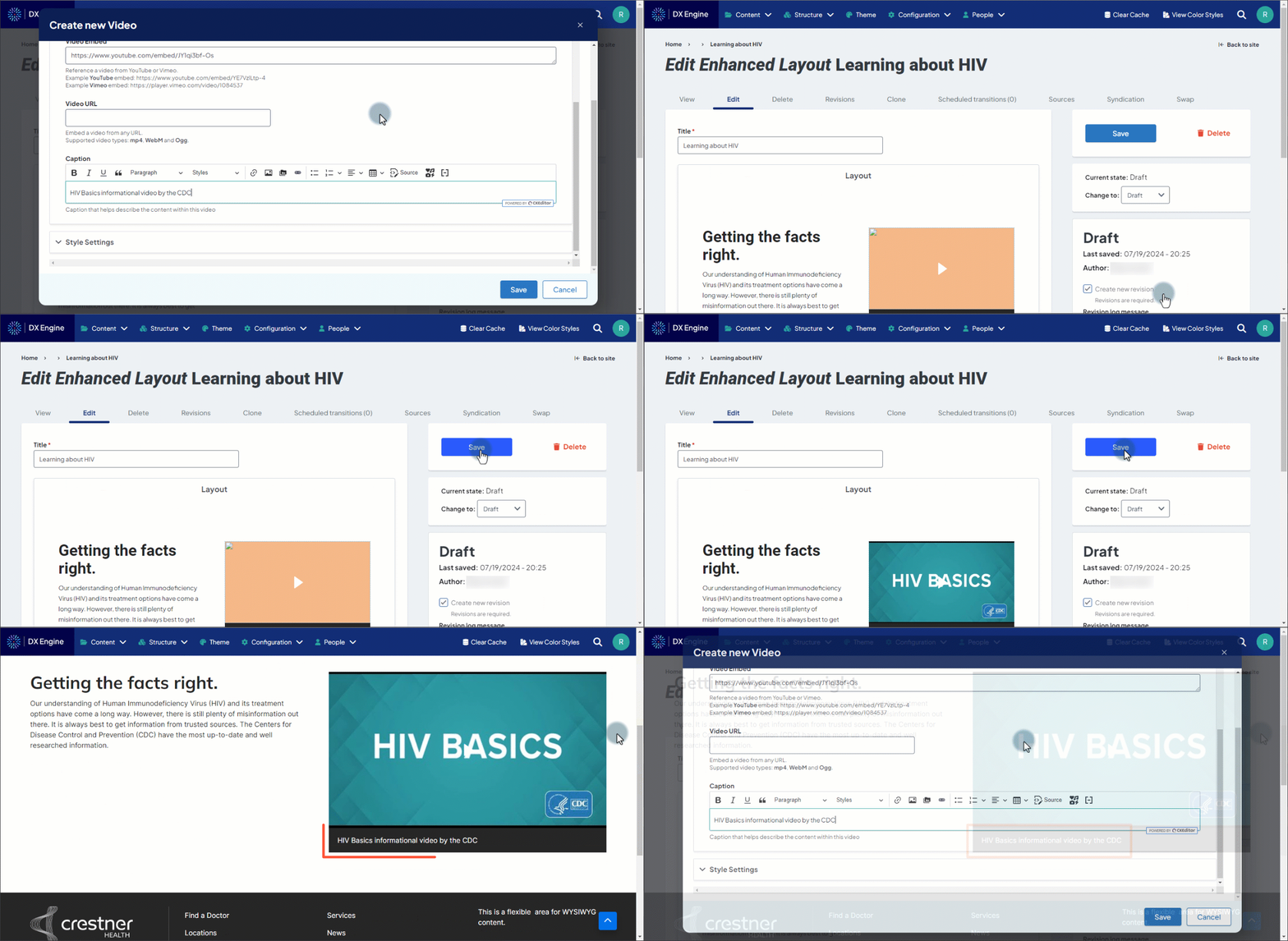
Entering text into the field allows you to give a brief summary of the contents of a video that displays on screen. If text is entered in this field, the caption will display over the video thumbnail.
Related Help Content
 DXE
DXE
Release notes: December 2024
Introducing Provider Search!A new and improved provider search experience in DXE!What it isThe DXE Provid...
DXE
Release notes: March 26, 2026
Note: The full release was completed on April 7th following a brief partner-related delay that affected t...
DXE
Jun 2024 release notes
Conditional BrandsWe have introduced a new Conditional Brands feature in Digital Experience Engine (DXE)!...
DXE
Release notes: September 25, 2025
Automatically block inactive usersNow, you can ensure only users who log in regularly are able to access ...
DXE
Release notes: January 15, 2026
Pinpoint and fix deleted or unpublished content — Missing Content Reference ReportWith the Missing Cont...
DXE
Release notes: October 30, 2025
Note: The updates described are scheduled to go live for the final stage of clients on Monday, November 3...